
Muzeo resources · Image preparation
Printing AI Art
From Digital Image to Finished Print
AI is now part of the creative landscape. People are using it to create artwork, modify photographs, restore images, and explore new ideas. As these tools become part of everyday creative work, more people will want to bring those digital images into the physical world.
At Muzeo Art Foundry, we help make that happen. Whether your image was generated entirely with AI or an existing photograph was enhanced using AI tools, our focus is helping it look its best in print.
An image that looks impressive on a screen may still need preparation before printing. We can evaluate your file, discuss your intended size and material, and recommend improvements.
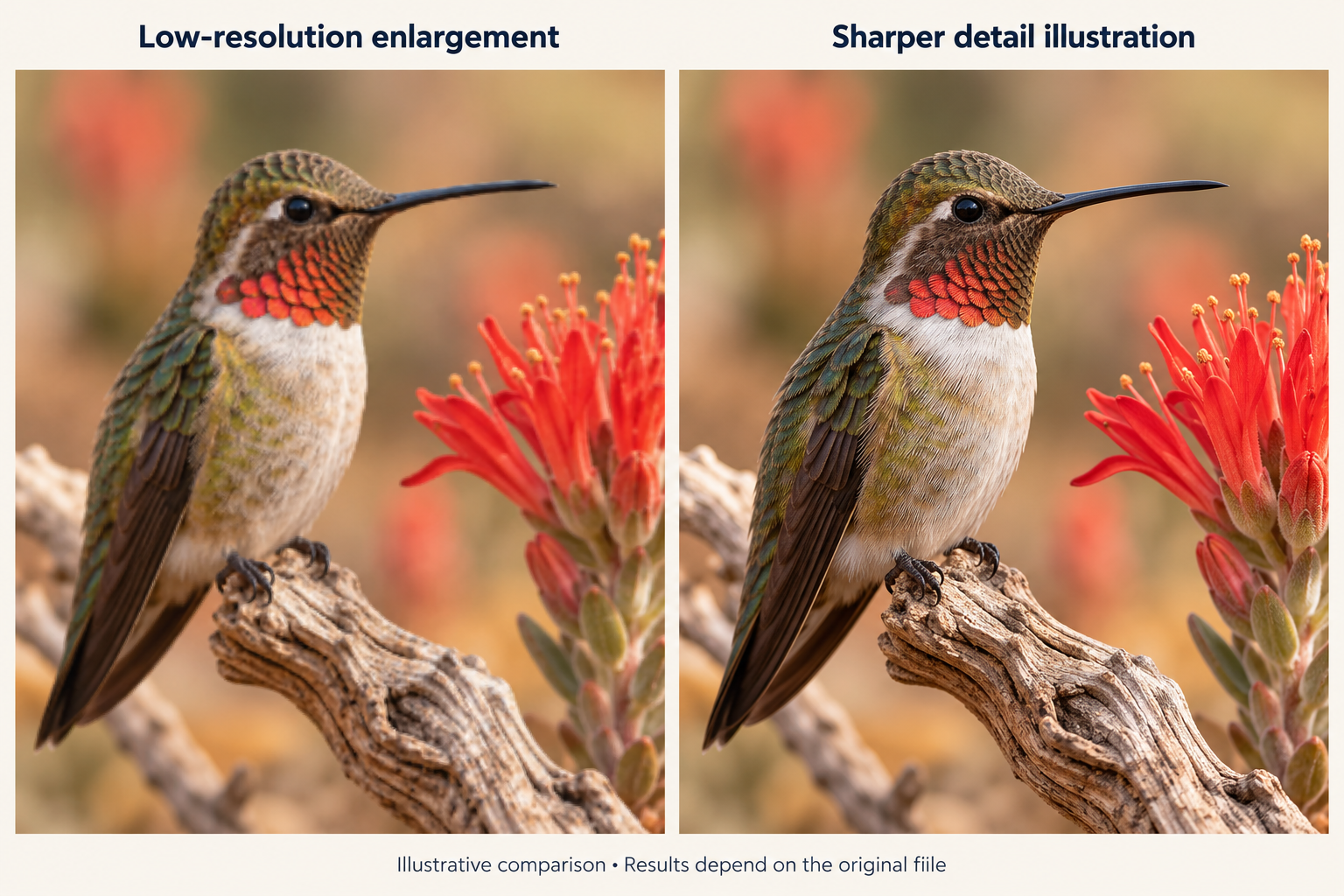
A small file doesn’t have to mean a small print
Many AI-generated images arrive with limited resolution. Enlarging them without proper preparation can produce soft details, blurry edges, or visible pixels.
Muzeo has tools to upsample and enlarge images, helping smaller files hold up better at larger print sizes. We consider the original file, your desired dimensions, and how closely the finished piece will be viewed.
Enlargement works best alongside careful inspection. It can improve the appearance of detail, but it may also introduce new details or emphasize existing flaws. Some images benefit from additional retouching; others look their best at a more modest size.
Small details become bigger in print
It’s easy to miss an unusual detail when viewing an image on a phone. In a large print, that same detail can draw attention.
Before printing, it’s worth checking:
- Faces and hands: distorted features, unnatural anatomy, or inconsistent expressions.
- Objects and architecture: disconnected elements, uneven perspective, or structures that don’t quite make sense.
- Text and lettering: misspelled words, invented characters, or distorted signs.
- Textures and patterns: overly smooth skin, repeating foliage, or inconsistent decorative details.
- Edges and backgrounds: sharpening halos, blocky compression, or visible bands in skies and gradients.
Muzeo can help identify these issues and discuss which corrections would improve the finished piece.
From screen color to printed color
A screen produces light. Paper and canvas reflect it. That difference affects how you experience an image’s brightness, contrast, and color.
Deep shadows may lose detail, and very bright or saturated colors may look different in print. The material you choose also influences the result.
We can assess your image for its intended print medium and recommend adjustments. For larger or especially color-sensitive projects, a proof can help you evaluate the result before producing the final piece.
Make the composition fit
An image’s proportions may not match your preferred print size. A square image won’t fill a wide rectangular frame without cropping or extending the composition.
We can help you review the crop, protect important details, and discuss whether adding space around the image is appropriate. Any AI-assisted extension should also be checked for consistency with the original.
How Muzeo helps prepare your image
01 · Review the original
We assess the file at your intended print size, looking at resolution, composition, and visible issues.
02 · Recommend the right approach
Your image may benefit from enlargement, selective retouching, color adjustments, cropping, or a different print size.
03 · Prepare for the chosen material
We consider how the image will translate to paper or canvas and prepare it accordingly.
04 · Review a proof when appropriate
A proof provides an opportunity to check color, brightness, and detail before committing to the finished print.
Every file is different. We’ll help you understand what can be improved and where the original image places limits on the result.
What to send us
Start with the highest-quality original file available, rather than a screenshot or a copy downloaded from social media.
Tell us:
- The print size you have in mind.
- Whether you prefer paper or canvas.
- Any details you’d like corrected.
- Whether cropping is acceptable or the full composition should be preserved.
Not sure how large your image can go? We can help you choose a suitable size.
Let’s bring your image into print
You’ve created an image you want to enjoy beyond the screen. Muzeo Art Foundry can help with the next step—evaluating, refining, and preparing it for print.